
Minecraft Java 1.20.1 · Legendary Edition 3.1
Join
Neverland Forest
Meet Captain Radegast aboard the airship, then set out with friends in our invite-only survival world.
Joining the server
You’ll need Minecraft Java Edition on PC and access to the Neverland Forest Discord.
Get on the whitelist
Open the pinned Minecraft Info post and press Get Whitelisted. Enter the Java username shown in your launcher. The bot replies privately in Discord.
Install the shared pack
The desktop and VR pack is being tested for this server. You can get whitelisted now. The download will appear here when it’s ready.
How to import the file
Open X Minecraft Launcher on your PC and sign in with the Microsoft account that owns Minecraft Java. Drag the downloaded
.mrpackfile into the launcher and confirm the import.Select the new instance and let its downloads finish, then choose Launch. Allow about 3 GB for the initial downloads and extra disk space for the installed game. If asked for a runtime, choose Java 17.
Choose desktop or PC VR
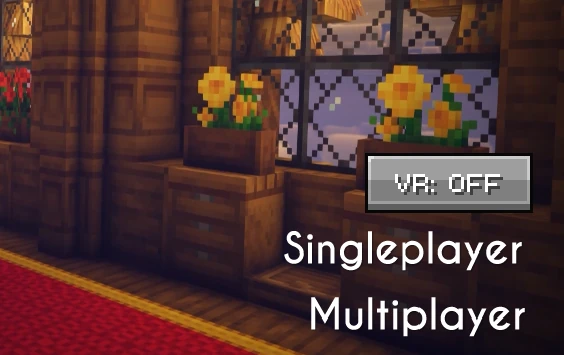
Desktop. Leave VR: OFF on the title screen and play with mouse and keyboard. A headset is optional.
PC VR. Connect your headset to your PC, open SteamVR, then click VR: OFF above Singleplayer on the same title screen to enable Vivecraft.
Join the world
From the title screen choose Multiplayer, select the saved server and press Join Server. If the entry is missing, use Add Server and enter this address.
lum-net.playit.game:25565Set up proximity voice
Once you’re in the world, press V to open Simple Voice Chat. Choose the microphone and speakers you use for Minecraft. For PC VR, select your headset devices.
Choose Push to Talk to assign a talk key, or Voice Activation for hands-free conversation. Nearby players can then hear you in game.
The live world map
Open Diorama over the forests and waterways of the Mushroom Kingdom. Use the dimension selector to find the airship or see where players have travelled in the Overworld.
Open Diorama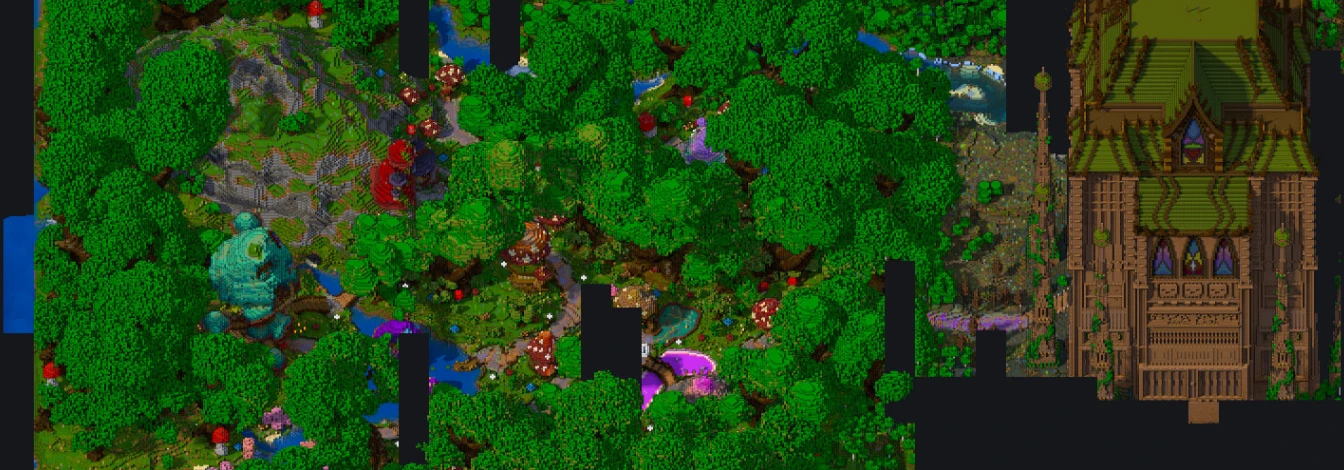
Need a hand?
If the server says you’re missing mods, check that you launched the imported instance. For whitelist or connection issues, head to Minecraft Chat and share the message you see.